For example, you can regularly clean irreplaceable and old data and update the database. With a structured and updated dataset, your BI system will operate optimally. As a result, you may gain valuable insights and make well-informed decisions.
Explore Top BI Challenges and the Ways to Handle Them
Best Practices for Leveraging BI in Retail

To utilize suitable business intelligence software aligned with your retail requirements, it is worth following some of its implementation best practices. We suggest considering these simple steps:
Define Clear Objectives and Goals
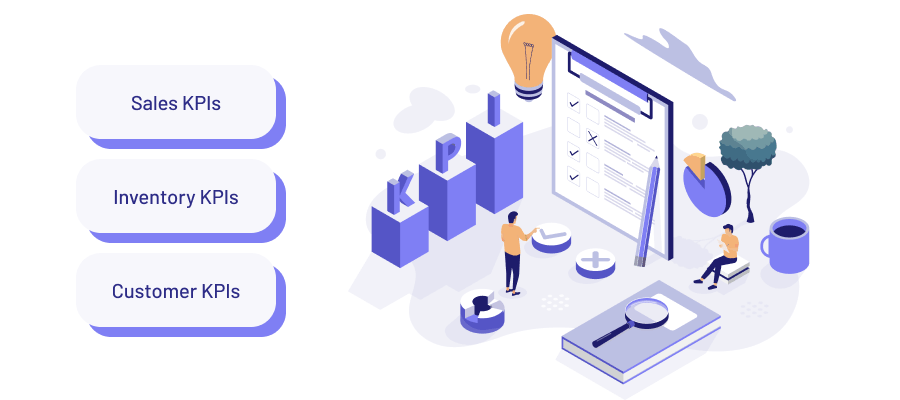
To develop an efficient solution, begin by clearly outlining the objectives you aim to achieve using business intelligence. For example, your purpose can be to enhance sales, optimize inventory, or improve the customer experience. Or even all at once.
Select the Right BI Tools
Once you have defined your main objectives, you can choose appropriate BI tools. Knowing what features you need will streamline the selection process from the diverse range of offerings in the BI landscape. Additionally, consider the scalability, user-friendliness, and integration capabilities of the tool, as well as its alignment with your budget.
We’ll talk about the BI software options in one of the upcoming chapters.
Automate Data Integration
As you collect vast amounts of data from various sources, you need effective integration; otherwise, this data remains siloed and fragmented. To streamline your data integration process, it is worth considering data automation. It can minimize human errors, streamline data preparation, and facilitate access to real-time analytics.
Learn more about how to Stay Ahead of Competitors Through Data Automation
Ensure Data Security and Compliance
You know, of course, how important it is to protect both your business and customers’ sensitive data. Previously, we talked a bit about how you can achieve this. But that is not the end of the road. You also need to comply with industry-specific regulations.
For example, you may need to comply with data privacy regulations like the California Consumer Privacy Act (CCPA) and the General Data Protection Regulation (GDPR). They will help you better meet data privacy laws, depending on the location.
Use Cases of BI in the Retail Industry

By now, you know the fundamental steps to successfully integrate business intelligence into your retail solutions. To help you understand better how it can work in practice, let’s have a look at some prominent business intelligence case studies in the retail industry. They highlight how data-driven insights and analytics can boost growth for businesses in this sector.
- Amazon: BI tools are integrated into almost every step of Amazon’s supply chain, from offering personalized product recommendations to making logistics decisions. That is one of the key reasons why Amazon is one of the leading companies in the retail industry.
- Starbucks: By successfully employing business intelligence tools, Starbucks built effective retail software that predicts what customers might like to buy. Each time offering clients something they truly desire, the company not only increases sales but also fosters customer loyalty, keeping them coming back.
- Walmart: As for Walmart, it uses BI tools to track and analyze customer online behavior. In particular, they examine the most frequently searched products, items added to shopping carts, and purchases made on the same day. The company also monitors its website and app to find out which platform customers prefer for shopping.
We have covered a lot of ground about the importance of employing appropriate BI software for your business. There is a wide range of tools available on the market that you can leverage, though choosing the right one can be a bit confusing.
So, here are the top business intelligence software options that come with user-friendly interfaces and are simple to utilize in the retail industry:
| Tool |
Strengths |
Limitations |
Best for |
Price |
| Power BI |
Affordability, deep Microsoft integration |
Less flexible outside Microsoft stack |
Microsoft-ecosystem businesses |
- Free (limited features)
- Pro: $14/user/month
- Premium: $24/user/month
|
| Tableau |
AI-powered, deep visualization |
Poor mobile responsiveness, risk of overcrowding |
Companies prioritizing polished, presentation-ready visualizations |
- Viewer: $15/user/month
- Explorer: $42/user/month
- Creator: $75/user/month
|
| Qlik Sense |
Responsive design, strong data integration |
Requires advanced technical skill |
Advanced users exploring complex data relationships |
- Business: $30/user/month/
- Enterprise: Custom
|
| Looker |
Scalability, Google Cloud integration |
Complexity, limited visual customization |
Enterprises with strong data engineering teams |
- Standard: ~$3,000–$5,000/month up to 50 users
- Enterprise: Custom pricing
- Embed: Custom pricing
|
| SAP Analytics Cloud |
Deep SAP ecosystem integration |
Limited value outside the SAP ecosystem |
SAP-based enterprises |
Quote-based |
Overall, by employing these tools, you can benefit from features like data integration and transformation, advanced analytics and AI, or natural language querying. These software solutions will also equip you with advanced data visualization, real-time data analytics, and more.
In addition, many of these tools come with mobile apps, so you can work with data on the go.